 OnlyPedia








Did you know that learning how to search on OnlyFans is surprisingly different from what you’re used to on other platforms? With over 500 million monthly website visits, OnlyFans continues to grow in popularity, but many users struggle with its limited search functionality.
Unlike Instagram or Twitter where profiles are easily discoverable, OnlyFans is designed with privacy and discretion in mind. This makes casually browsing for content or creators practically impossible. While the platform does have a built-in search bar, it only allows for limited keyword searches for posts and creator usernames. Additionally, you must have an active account to use even these restricted search features.
If you’ve been frustrated trying to find someone on OnlyFans or encountered issues with the search function not working properly, we’ve got you covered. In this comprehensive guide, we’ll explore why OnlyFans limits its search capabilities, show you how to effectively use what’s available, and reveal alternative methods to find creators when the traditional search fails. Let’s solve your OnlyFans search problems once and for all!
Understand How OnlyFans Search Works
The search function on OnlyFans operates quite differently compared to what you might expect from mainstream social platforms. Let’s explore how this feature actually works and why it might not be delivering the results you’re looking for.
What the search bar can and cannot do
The OnlyFans search bar is intentionally basic by design. Located in the top-right corner of your screen, it requires you to be logged into an active account to use it at all. This is your starting point for finding creators on the platform [1].
What the search bar can do:
- Search for specific creator usernames
- Find posts containing certain keywords used in captions
- Locate content tagged with specific hashtags
- Search through bio information of creators
What the search bar cannot do:
- Browse by categories or niches (unlike other social platforms)
- Discover new creators through a “recommended” section
- Search by location, as OnlyFans doesn’t have a built-in location filter [2]
- Find someone using their email, phone number, or real name [3]
- Access content behind paywalls without subscribing first
The search function is straightforward yet restrictive. When you type a username or keyword, OnlyFans will search for accounts associated with your query and display results, though this process may take several minutes depending on the number of registered accounts [4].
Why OnlyFans limits search functionality
OnlyFans hasn’t overlooked search capabilities by accident—this is a deliberate design choice that serves several purposes.
First and foremost, privacy protection lies at the core of the platform’s philosophy. Many creators choose OnlyFans specifically because it offers greater control over who finds and views their content. The platform has implemented multiple privacy protection layers, including IP tracking to prevent automated searches and rate limiting to stop bulk account checking [3].
Moreover, the subscription-based business model benefits from limited discoverability. By restricting easy browsing, OnlyFans encourages creators to promote themselves externally, driving traffic to the platform through other channels. This creates a more targeted audience that’s genuinely interested in specific creators rather than casual browsers.
Security concerns also play a significant role in these limitations. Many creators have valid concerns about stalking, harassment, or unwanted contact from people in their offline lives. By keeping details like phone numbers completely private and non-searchable, OnlyFans provides creators with essential protection [3].
Furthermore, since OnlyFans hosts significant adult content, these search restrictions help shield creators from potential employment consequences. There have been numerous documented cases of people losing their jobs due to their presence on the platform [5]. The limited search functionality consequently encourages more creators to sign up, knowing their content won’t be easily discoverable by casual searchers or employers.
How usernames and hashtags affect results
Your success finding someone on OnlyFans depends heavily on understanding how usernames and hashtags function within the platform’s ecosystem.
Usernames serve as the primary discovery method on OnlyFans. The most direct way to find someone is through their exact username, which typically appears in their profile URL following the format: https://onlyfans.com/username [4]. However, this presents challenges when creators intentionally use different usernames across platforms to maintain separation between their accounts [3].
For creators looking to optimize discoverability, username selection becomes a strategic decision. Many successful creators incorporate keywords related to their content niche directly into their display names. This practice significantly impacts search results both within OnlyFans and on external search engines [6]. For instance, a search for “onlyfans asian” (which receives 1,000-10,000 monthly searches according to Google estimates) might prominently feature creators who have optimized their display names with relevant terms [6].
Hashtags, meanwhile, serve as powerful discovery tools when used effectively. They act as meeting points between creators and potential subscribers [7]. According to Hootsuite’s 2024 Social Media Trends Report, hashtag research remains one of the most effective methods for organic growth across all social platforms [7].
OnlyFans’ algorithm also plays a crucial role in determining who appears in search results. The system prioritizes creators who engage actively with their audience, respond to comments, and post high-quality content regularly [8]. This means that simply using the right keywords isn’t enough—consistent engagement with subscribers significantly impacts visibility.
For creators seeking to maximize their discoverability, the strategic combination of different hashtag types is essential. Experts recommend applying an 80/20 rule: 80% of hashtags should be niche-specific, while 20% should be broadly popular tags [7]. This balance helps optimize exposure while attracting genuine subscribers interested in specific content types.
Seasonal hashtags can be particularly effective, with research from Sprout Social’s 2024 Index showing they can increase engagement rates by up to 35% when used strategically [7]. However, creators must avoid irrelevant hashtags, as this practice often backfires and can result in shadow-banning—making content invisible in feeds despite technically being public [7].
For users searching for content, understanding these dynamics helps explain why finding specific creators can be challenging without precise information. The system is designed to prioritize privacy and creator control rather than open discoverability, making external search tools increasingly valuable for those looking to expand their OnlyFans experience.
Use External Tools to Search Creators
Given the limitations of OnlyFans’ native search functionality, third-party tools have emerged as essential alternatives for finding content creators. These external platforms offer advanced filtering options that the official site intentionally doesn’t provide.
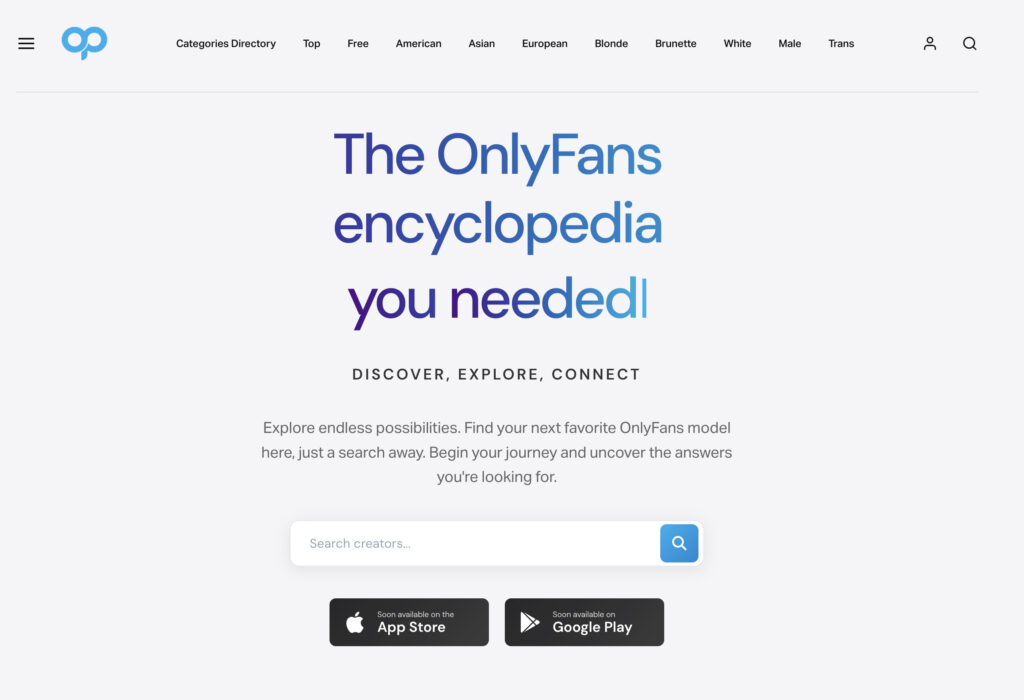
How to use Onlypedia.net, OnlyFinder and OnlySearch
When the built-in search doesn’t yield results, specialized search engines can help you discover creators more effectively. OnlyFinder stands out as one of the most popular tools, functioning much like Google but specifically for OnlyFans profiles [9]. To use it:
- Visit the OnlyFinder website
- Enter keywords related to content, usernames, or interests
- Apply filters for location, gender, and content type
- Browse through indexed profiles that match your criteria
OnlySearch works similarly but excels at keyword-based searches. This tool scans through profile pictures, bios, pricing information, and location data to help match your search terms with relevant creators [10]. It’s especially useful if you only know partial username information or content preferences.
Another alternative is Onlypedia.net, where you can find your favorite onlyfans creators with specialized search features. These third-party directories typically index millions of profiles daily, ensuring access to an up-to-date database [11].
FansMetrics offers additional filtering options beyond what other tools provide, including price range and popularity filters that help narrow down your search even further [11].
Search in Top Categories
Category-based searching simplifies finding creators who specialize in your preferred content types. Unlike OnlyFans itself, third-party directories organize creators by category, making discovery much easier.
Onlypedia.net maintains regularly updated lists of the most popular OnlyFans accounts organized by category. Their platform highlights “top categories” which represent the most viewed and recommended content niches. This approach allows you to browse through collections of popular accounts without needing to know specific usernames.
Many of these category-based platforms allow you to combine filters – for instance, you can select a content category along with country, gender, price range, or even filter between free and paid accounts. This multi-filter approach enables much more precise searches than what’s possible on OnlyFans directly.
Search by location, niche, or free accounts
Location-based searches have become increasingly popular for those looking to discover local creators. OnlyFinder includes a map feature that resembles Google Maps, allowing you to:
- Click on a specific town or city
- View creators within a defined radius (approximately 150km)
- Combine location filters with other preferences [5]
For niche-specific searches, specialized directories organize creators by content type, making it easier to find exactly what interests you. These platforms typically categorize creators based on their content focus, physical characteristics, or specific interests [12].
If you’re looking specifically for free accounts, third-party directories like OnlyFinder allow you to filter search results to display only profiles offering free OnlyFans accounts [1]. This feature helps you preview a creator’s content before committing to a paid subscription.
Use Reddit and link aggregators like AllMyLinks
Reddit serves as a valuable resource for discovering OnlyFans creators through dedicated communities. Subreddits like r/OnlyFansPromotions and r/OnlyFansReviews function as active hubs where creators promote themselves and fans discuss content [13].
To use Reddit effectively:
- Search for OnlyFans-related subreddits
- Browse community recommendations and creator promotions
- Look for direct links to creator profiles
Link aggregator services like AllMyLinks have become essential tools in the creator ecosystem. Many OnlyFans creators use these platforms to organize all their social media and content links in one convenient location [14]. When you find a creator on another platform, checking if they have an AllMyLinks page often leads directly to their OnlyFans profile.
The connection between these link aggregators and OnlyFans is so common that some users even confuse the two services. AllMyLinks itself isn’t a content platform but rather a tool that creators use to direct their audience to various platforms, typically including OnlyFans [14].
Search Instagram and TikTok
Social media platforms remain primary channels for OnlyFans creator discovery. Instagram and TikTok especially serve as promotional hubs where creators build their audience before directing them to OnlyFans.
On these platforms, look for:
- “Link in bio” mentions in posts
- Profile descriptions referencing exclusive content
- Stories with OnlyFans promotions
Cross-referencing profiles across multiple platforms is an effective strategy. Many creators maintain consistent branding, often using similar usernames across different services [15]. This creates opportunities for finding OnlyFans profiles by first locating creators on more discoverable platforms.
Telegram Groups
Telegram has emerged as a popular platform for OnlyFans communities and creator promotion. The messaging app’s group functionality allows for niche communities focused on specific content types or creator categories.
To find relevant Telegram groups:
- Search Telegram for “OnlyFans” plus specific interests
- Use direct group links, for example Onlypedia telegram group
- Look for group links shared on Reddit or Twitter
- Check creator social media for mentions of private Telegram channels
These groups often share direct links to creator profiles, promotional offers, and sometimes even exclusive content. Fundamentally, Telegram’s more private nature makes it ideal for communities focused on adult content that might be restricted on other platforms.
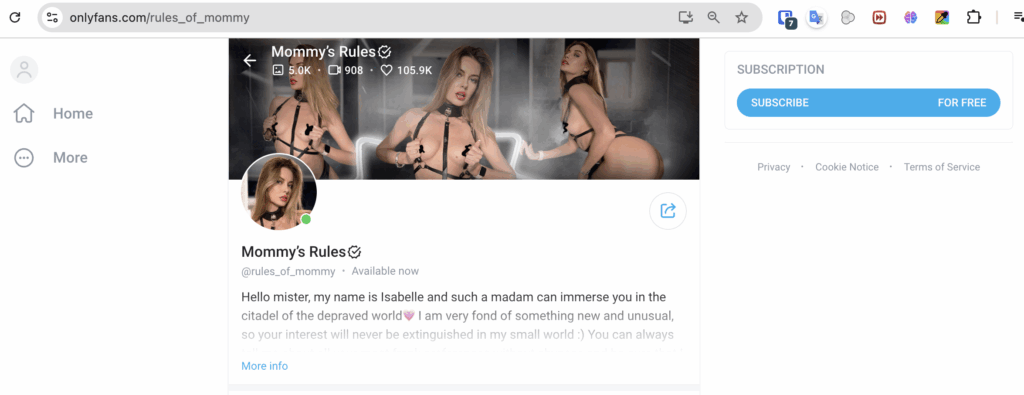
Source: onlyfans.com/rules_of_mommy
Now that we’ve explored both the native search function and external tools, let’s combine these approaches for the most effective results. Finding someone on OnlyFans often requires a multi-pronged strategy rather than relying on a single method.
The most effective approach is to start with any information you already have about the creator. If you know their exact username, certainly the direct search on OnlyFans will be your fastest route. Simply enter it in the search bar and you should find them immediately.
Nonetheless, if you only have partial information or the username search fails, don’t give up. This is when a strategic combination of methods becomes essential. I’ve found that beginning with external search engines like OnlyFinder or OnlySearch often yields better results than continuing to struggle with the platform’s limited search functionality.
Whether you’re looking for a specific creator or browsing for new content, the combination of multiple search methods typically produces the best outcomes. For instance, if searching by username doesn’t work, try searching through hashtags related to their content niche. Creators often use consistent hashtags across platforms to maintain their brand identity.
A common mistake I see is users giving up after trying just one search method. Indeed, the key to successful searching on OnlyFans lies in persistence and trying multiple approaches. If the direct search fails, immediately pivot to external tools rather than repeatedly trying the same unsuccessful method.
Obviously, privacy is a primary concern for many OnlyFans users – both creators and subscribers. Throughout your search process, remember to respect boundaries and privacy. Just because alternative search methods exist doesn’t mean every creator wants to be easily found. Some intentionally maintain separation between their OnlyFans presence and other aspects of their online identity.
Essentially, the most successful searches follow this progression:
- Try the direct username search on OnlyFans
- If unsuccessful, use specialized search engines like OnlyPedia
- Look for the creator on mainstream social platforms
- Check community resources like Reddit or Telegram groups
- Consider reaching out directly if you have contact information
Until you find the creator you’re looking for, rotating through these methods in sequence often proves most effective. Remember that search capabilities on OnlyFans intentionally have limitations, and this design choice reflects the platform’s commitment to creator privacy and control.
Generally speaking, successful OnlyFans searches require patience and flexibility. As the platform continues to evolve, search functionality may change – sometimes improving and other times becoming more restricted. Staying adaptable with your search approach ensures you can find creators regardless of these changes.
Overall, finding someone on OnlyFans requires understanding both the platform’s intentional limitations and the alternative options available. By combining direct searches with external tools, social media exploration, and community resources, you’ll maximize your chances of connecting with the creators you’re looking for while respecting the privacy-focused nature of the platform.
Remember that OnlyFans continues to modify its features regularly, undoubtedly making adjustments to search functionality as the platform grows. What works today might change tomorrow, so developing a flexible search strategy will serve you better than relying on any single method. The techniques outlined in this guide should help you navigate OnlyFans’ unique approach to search and discovery, even as the platform continues to evolve.
FAQs
Q1. Why is searching on OnlyFans different from other social media platforms? OnlyFans prioritizes privacy and discretion, limiting its search functionality to protect creators. Unlike platforms like Instagram or Twitter, OnlyFans doesn’t allow casual browsing or easy discovery of profiles, focusing instead on direct searches and external promotion by creators.
Q2. What can I do if the OnlyFans search bar isn’t working for me? If the built-in search isn’t yielding results, try using external tools like OnlyFinder, OnlySearch, or Onlypedia.net. These specialized search engines offer more advanced filtering options and can help you discover creators based on various criteria such as location, content type, or niche.
Q3. How can I find OnlyFans creators from a specific location? While OnlyFans doesn’t have a built-in location filter, some third-party tools like OnlyFinder offer map features. These allow you to search for creators within a specific area, typically within a radius of about 150km from a chosen town or city.
Q4. Are there ways to find free OnlyFans accounts? Yes, some external directories like OnlyPedia allow you to filter search results to display only profiles offering free OnlyFans accounts. This can be useful for previewing a creator’s content before committing to a paid subscription.
Q5. How can I use social media to find OnlyFans creators? Many OnlyFans creators promote their profiles on platforms like Instagram, TikTok, and Twitter. Look for “Link in bio” mentions, references to exclusive content in profile descriptions, or stories with OnlyFans promotions. Additionally, Reddit communities and Telegram groups often share information about OnlyFans creators and their content.
References
[1] – https://www.supercreator.app/guides/discover-your-desires-a-complete-guide-to-finding-onlyfans-creators
[2] – https://socialcatfish.com/scamfish/the-ultimate-onlyfans-finder-how-to-find-people-on-onlyfans-in-2025/
[3] – https://www.linkedin.com/pulse/how-discover-someone-has-onlyfans-account-complete-search-pandiyan-ezqzc
[4] – https://prnews.io/blog/exploring-onlyfans-search-a-closer-look-at-the-features-and-functionality-of-the-popular-social-platform.html
[5] – https://fanso.io/blog/finding-people-on-onlyfans/
[6] – https://seobounty.com/onlyfans-seo-search-marketing-guide/
[7] – https://www.enforcity.com/onlyfans-success/onlyfans-hashtags
[8] – https://www.thingscope.cs.columbia.edu/onlyfans-com-user-search
[9] – https://fliflik.com/video-tips/how-to-use-onlyfinder/
[10] – https://www.tunepat-video.com/topic/onlyfans-finder.html
[11] – https://www.creatorhero.com/en/blog/the-ultimate-guide-to-finding-creators-on-onlyFans
[12] – https://socialcatfish.com/scamfish/how-to-find-someone-on-onlyfans/
[13] – https://www.creatorhero.com/blog/how-to-find-onlyfans-creators
[14] – ttps://www.reddit.com/r/married/comments/1boiome/is_allmylinks_the_same_as_onlyfans/
[15] – https://socialcatfish.com/scamfish/onlyfans-search/